



Invoice processing has come a long way from the days of downloading PDFs, typing in totals and chasing approvals that went mysteriously missing in someone’s inbox. Today, automated invoice capture software does the heavy lifting for you, reading invoices the moment they arrive, extracting the important details and getting them where they need to go.
With so many tools and technologies now available, the challenge isn’t whether you should automate invoice capture: it’s figuring out which type of solution is right for your team. From all-in-one accounts payable platforms to intelligent document processing (IDP), RPA bots and fully digital e-invoicing networks, each option tackles invoice capture in its own way.
In this guide, we break down five categories of software that are transforming invoice workflows in 2026 – and five standout solutions to go along with them.
Key takeaways:
- Automated invoice capture software reads and extracts invoice data for you, turning a previously manual and error-prone task into something fast, accurate and hands-free.
- From AP platforms and intelligent document processing to email-based tools, RPA bots and e-invoicing networks, there are many different ways to automate invoice capture – it’s all about finding the one best suited to your business needs.
- The right solution should save your team time, reduce manual corrections and give you better visibility over cash flow, from invoice arrival through to approval and payment.
- Key features to look for include accurate data extraction, flexible invoice ingestion, smart validation, clear approval workflows and strong integrations with the systems you already use.
What is automated invoice capture software?
Automated invoice capture software is a tool that reads, understands and extracts the key details from your invoices – things like supplier names, dates, amounts and line items – without anyone having to type them in manually. It takes the messiest part of accounts payable and turns it into something quick, accurate and, dare we say it, painless.
Not too long ago, invoice capture was a fully manual job. Someone on the finance team would open an email, download a PDF, check who it was from, squint at the totals, type everything into the accounting system, save the file somewhere ‘everyone is supposed to use’ and then chase down the right approver. It was slow, error-prone and often the culprit behind late payments and frustrated suppliers.
Automation changes that completely. Instead of relying on manual data entry, automated invoice capture software reads invoices the moment they arrive – whether that’s through email, a shared inbox or an upload – and pulls the important information straight into your finance system.
Modern tools use smart technologies like machine learning to recognise different invoice formats, learn from corrections and keep improving over time.
The result? Faster workflows, fewer mistakes and a finance team that can spend more time on meaningful work rather than copying numbers from one place to another. It’s the difference between managing invoices and being buried under them.
5 tools to make automated invoice capture a breeze in 2026
Still downloading PDFs, typing in invoice details or hunting through inboxes to figure out who needs to approve what? It might be time to let automated invoice capture software take the manual work off your plate.
We’ve compiled a list of smart, time-saving tools that make handling invoices effortless – from capturing data the moment an invoice arrives to speeding up approvals and giving you clearer visibility over upcoming payments and cash flow.
In the table below, you’ll find a quick overview of the solutions covered:
|
Software |
Category |
G2 rating |
Pricing |
|
Pleo Accounts Payable |
Accounts payable platforms |
4.7/5 |
Starting at £9.5 per month for up to 3 users |
|
Rossum |
Intelligent document processing invoice capture |
4.5/5 |
N/A – all pricing is quote based |
|
Hubdoc |
Email-based invoice capture services |
4.3/5 |
Starts at $12 per month |
|
Automation Anywhere |
RPA-driven invoice processing solutions |
4.5/5 |
N/A – all pricing is quote based |
|
Basware e-Invoicing Network |
E-invoicing platforms |
4/5 |
N/A – all pricing is quote based |
Accounts payable (AP) platforms
Accounts payable (AP) platforms are the all-rounders of the invoice world. They don’t just capture invoices: they help you manage the entire workflow from the moment a document arrives to the second it’s approved and paid. Think of them as the control centre for your finance team, pulling everything into one place, automating the repetitive bits and giving you full visibility over what’s going out of the business. Ideal for teams that want fewer spreadsheets, fewer surprises and a whole lot less manual processing.
1. Pleo Accounts Payable
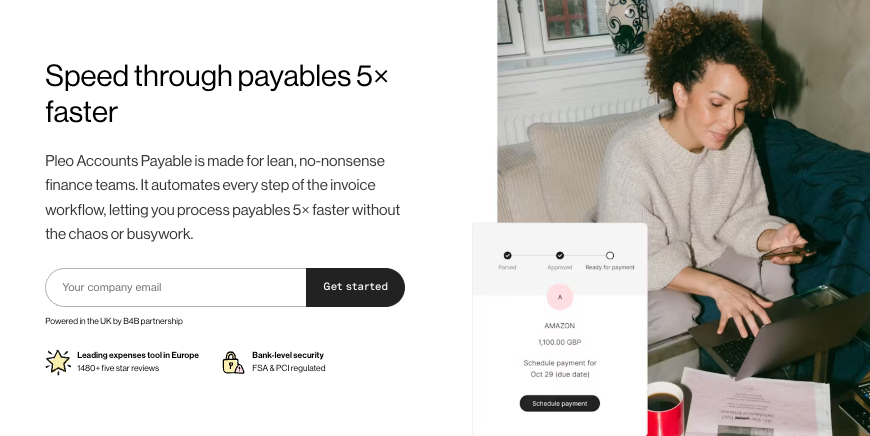
With more than 1,480 five-star reviews, Pleo is Europe’s most loved and trusted spend management platform – and now we’re making invoice approvals just as easy. Capture, validate and approve invoices all in one place; with our accounts payable solution, it’s easy as pie.
Lean back and let Pleo read your invoices, check them against purchase orders and company rules and route them to the right approvers. Everyone on the team gets full visibility every step of the way – no more digging through email threads, chasing signatures or wondering where a payment got stuck.
What used to be slow, repetitive and error-prone is now fast, transparent and stress-free. Finance teams, bookkeepers and employees can all enjoy a smarter workflow that handles everything from invoice capture to approval and payment, keeping your business compliant and giving you complete control over your spend.
Pros and key functionalities:
- Fast, automated invoice validation: Capture, check and approve invoices in a flash – no more chasing approvals or worrying about matching POs manually.
- Full visibility: Keep all invoices in one central place and see what’s pending, approved or paid at a glance. Your cash flow has never been clearer.
- Effortless capture: Upload invoices or forward them from email. Pleo automatically extracts key information, codes everything and gets it ready for approval.
- Smart workflows: Route invoices to the right people for approval at the right time. Faster sign-offs, fewer mistakes and built-in compliance.
Reasons to choose Pleo:
- Helpful customer support
- Efficient and time-saving solution
- Fast implementation and user-friendly interface
Source: G2
Pricing: Pleo offers monthly or yearly billing, with prices starting at £9.5 per month for up to 3 users.
What do our users say about Pleo?
“I have been using Pleo for a year, mainly for work-related expenses like tools, equipment, and stationery. Setting it up was quite easy, just had to follow a few simple steps, activate the card, and set up an email—everything worked smoothly right from the start. Pleo makes my work life significantly easier[.]”
– Chad H., G2
Intelligent document processing invoice capture
If traditional OCR is the basic calculator, IDP is the smart assistant that actually understands what you’re handing it. These tools use machine learning to read invoices in all shapes and formats and pull out the data you need without all the manual corrections. The more they learn, the better they get. It’s a powerful option for teams dealing with lots of suppliers, inconsistent invoice layouts or just a steady flow of documents every day.
2. Rossum
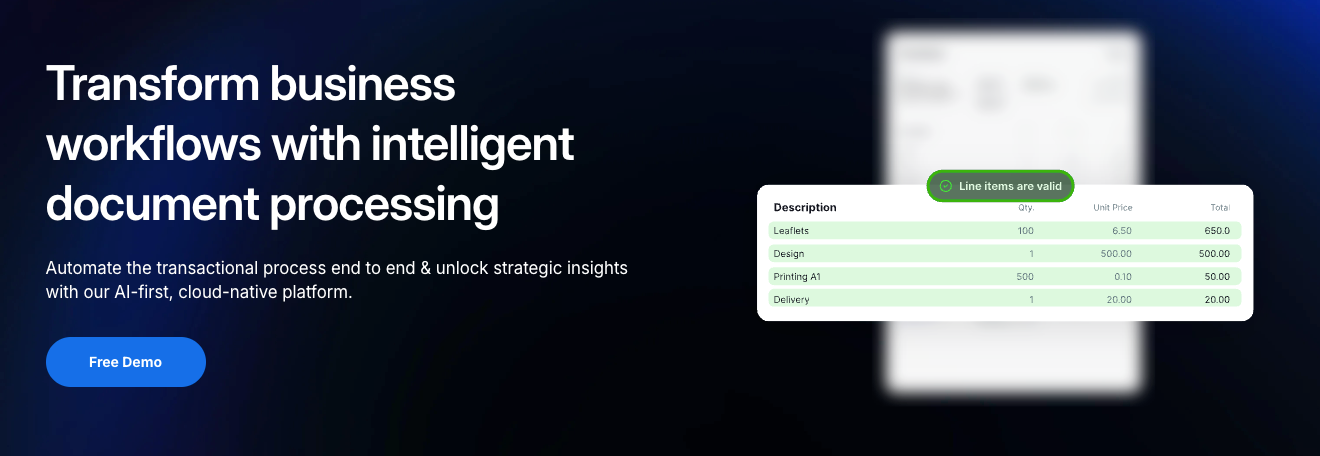
Rossum is all about making invoice capture smarter. Using AI and machine learning, it reads all types of invoices – even the messy or unconventional ones – and extracts the data you need automatically.
We’ve given Rossum a spot on this list because it shows how intelligent document processing can reduce manual work, adapt to a growing supplier base and make life easier for finance teams handling a variety of invoice types.
Pros and key functionalities:
- AI-powered data extraction: Reads invoices of all shapes, layouts and formats without relying on strict templates.
- Learns as you go: The more your team corrects or reviews data, the smarter Rossum becomes, reducing manual work over time.
- Flexible workflows: Integrates with your accounting or ERP setup so captured data flows smoothly into the rest of your finance processes.
Reasons to choose Rossum:
- Strong integrations
- Intuitive user interface
- Helpful customer support
Source: G2
Pricing: N/A – all pricing is quote based.
Email-based invoice capture services
For many businesses, the invoice journey starts in a shared inbox – and these tools meet you right there. Email-based invoice capture automatically scoops up attachments from an accounting or finance inbox, reads the invoice and sends the details to wherever you need them. No more downloading PDFs, renaming files or dragging things into folders. It’s simple and quick to set; perfect if most of your suppliers send invoices by email.
3. Hubdoc
Hubdoc lives where your invoices live: your inbox. It automatically pulls invoice attachments from emails, extracts the key information and sends it straight to your accounting system.
We’ve included Hubdoc because it’s a perfect example of how email-based capture can save time, cut down on manual downloads and make sure invoices don’t get lost in the shuffle.
Pros and key functionalities:
- Automatic inbox capture: Pulls invoice attachments straight from your email, so nothing slips through the cracks.
- Simple document uploads: Snap a photo, drag in a file or let Hubdoc fetch documents directly from connected accounts.
- Reliable data extraction: Pulls out key details like dates, totals and supplier names to speed up bookkeeping.
Reasons to choose Hubdoc:
- Time-saving automation
- Seamless integrations
- Reduces manual errors
Source: G2
Pricing: Hubdoc starts at $12 per month.
RPA-driven invoice processing solutions
RPA tools are like ultra-fast digital helpers that follow step-by-step rules – the kind of rules that finance teams know all too well. They can check invoices against POs, copy data into your ERP, trigger approval flows or flag exceptions without ever taking a break. Whilst they’re more technical to set up, they’re incredibly effective for businesses with big volumes, repetitive processes or complex approval chains that need to run like clockwork.
4. Automation Anywhere

Automation Anywhere uses robotic process automation (RPA) to handle repetitive finance tasks – like copying invoice data, matching POs and routing approvals – without human intervention.
This one’s made our list because it highlights how RPA can supercharge invoice workflows for teams with high volumes or complex processes, freeing up time for more strategic work.
Pros and key functionalities:
- End-to-end automation: Uses RPA bots to extract invoice data, match it to POs, validate fields and route approvals automatically.
- Scalable for big volumes: Ideal for businesses processing thousands of invoices where manual work simply isn’t an option.
- Consistent and compliant: Bots follow rules exactly, reducing errors and helping teams stick to internal controls.
Reasons to choose Automation Anywhere:
- Intuitive and user-friendly
- Powerful automation capabilities
- Responsive support team
Source: G2
Pricing: N/A – all pricing is quote based.
E-invoicing platforms
E-invoicing platforms cut out the paperwork altogether. Instead of scanning or forwarding PDFs, suppliers send invoices in a structured digital format that goes straight into your finance system. It’s cleaner, faster and far more accurate because there’s no manual reading involved – human or machine. As more countries move toward e-invoicing mandates, these platforms help businesses stay compliant whilst keeping invoice processing beautifully hands-free.
5. Basware e-Invoicing Network
Basware’s e-Invoicing Network lets suppliers send invoices in a structured digital format that goes straight into your finance system – no scanning or manual data entry required.
We’ve included it because it demonstrates how e-invoicing can make invoice capture completely hands-free, improve accuracy and keep businesses compliant in an increasingly digital world.
Pros and key functionalities:
- Hands-free invoice delivery: Receives invoices digitally in a structured format – no PDFs, scans or OCR needed.
- Built-in accuracy: Eliminates the risk of manual data entry errors because everything arrives pre-formatted and validated.
- Strong supplier connectivity: Gives businesses access to a large global e-invoicing network, making it easier for suppliers to send compliant, digital invoices.
Reasons to choose Basware:
- User-friendly solution
- Effortless invoice processing
- Time-saving smart features
Source: G2
Pricing: N/A – all pricing is quote based.
What to look for in an automated invoice capture solution
With so many tools out there, choosing the right invoice capture solution can feel a bit overwhelming. But the best platforms tend to have a few things in common: features that save your team time, reduce manual errors and give you better control over company spend.
Here’s what to keep an eye out for:
- Accurate, reliable data extraction: Look for software that can read invoices in different formats and layouts without breaking a sweat. The less manual correction you need to do, the better.
- Flexible invoice ingestion: The easier it is to submit an invoice, the quicker your team can process it. Look for tools that capture invoices wherever they arrive – uploaded files, email forwards, shared inboxes or even photos.
- Smart validation and matching: Great invoice capture tools don’t just extract data – they check it. Look for features like automatic PO matching, duplicate detection and policy checks to catch issues easy and keep your processes consistent.
- Clear approval workflows: Choose a solution that routes invoices to the right approvers automatically and gives everyone a clear view of what’s pending, approved or blocked.
- Real-time visibility and control: Transparency helps you manage cash flow better and avoid last-minute surprises. Your finance team should be able to see invoice statuses, upcoming payments and potential bottlenecks at a glance.
- Smooth integrations: The best invoice capture tools slip neatly into your existing finance stack. Accounting systems, ERPs, spend management platforms – you name it.
- Built-in compliance and audit readiness: From approval trails to document storage, your solution should help keep you compliant without extra effort.
Choosing the right automated invoice capture solution ultimately comes down to finding a tool that fits the way your team works – not the other way around. Prioritise accuracy, visibility and workflows that actually make life easier for the people using them. With the right platform in place, invoice processing stops being a bottleneck and becomes a smooth, reliable part of your finance operations.
Final thoughts
Automating invoice capture isn’t just about saving a few minutes of data entry: it’s about building a smoother, more reliable accounts payable process that keeps your business moving. Whether you choose an all-in-one platform like Pleo or a specialist tool designed for a specific part of the workflow, the right solution will help your finance team stay organised, stay compliant and stay focused on the work that really matters.
With the tools available today, there’s no reason for invoice processing to slow you down. Pick the option that fits your team, and let automation take care of the rest.