



We’re always working to make Pleo smarter, smoother, and (even) more helpful for managing your company spend.
Our regular New in Pleo brings you the latest updates, from new features to smarter automation, so you get more value from Pleo with every release.
On the ticket this time? Tighter control over out-of-policy spend, cash management, even more flexibility with overdraft, oodles of integration enhancements and more.
Spot out-of-policy spend automatically with Pleo AI
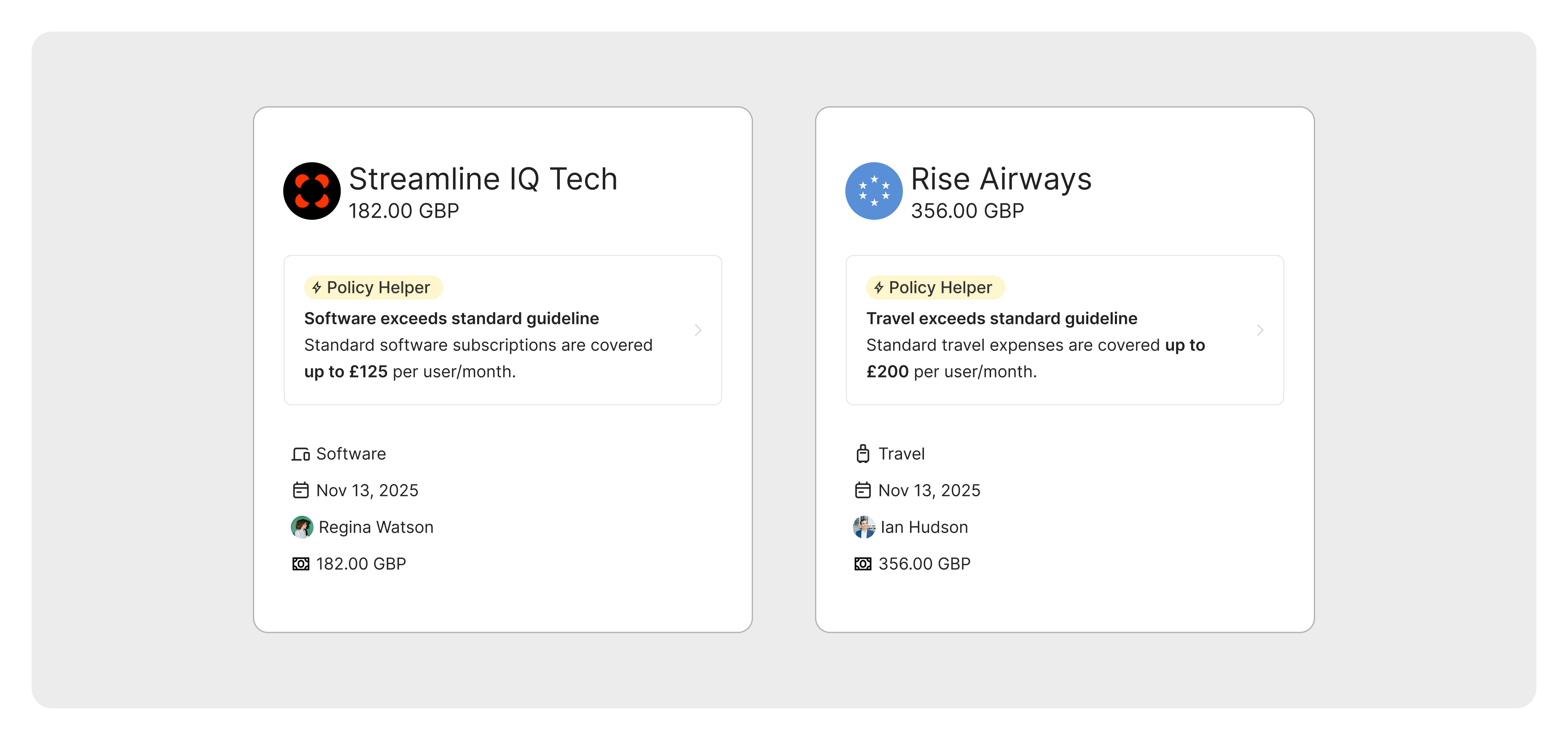
Reviewing expenses at scale takes time. And when expenses pile up, out-of-policy purchases can easily slip through the cracks.
Pleo AI helps you keep spending in check by automatically flagging expenses that fall outside your policy.
Employees get instant clarity on what’s allowed, while reviewers can focus on the exceptions that actually need attention - not routine expenses.
The result? More compliant spending, fewer policy questions, and hours saved from manual expense reviews.
Turn on out-of-policy flagging
Streamline cash management
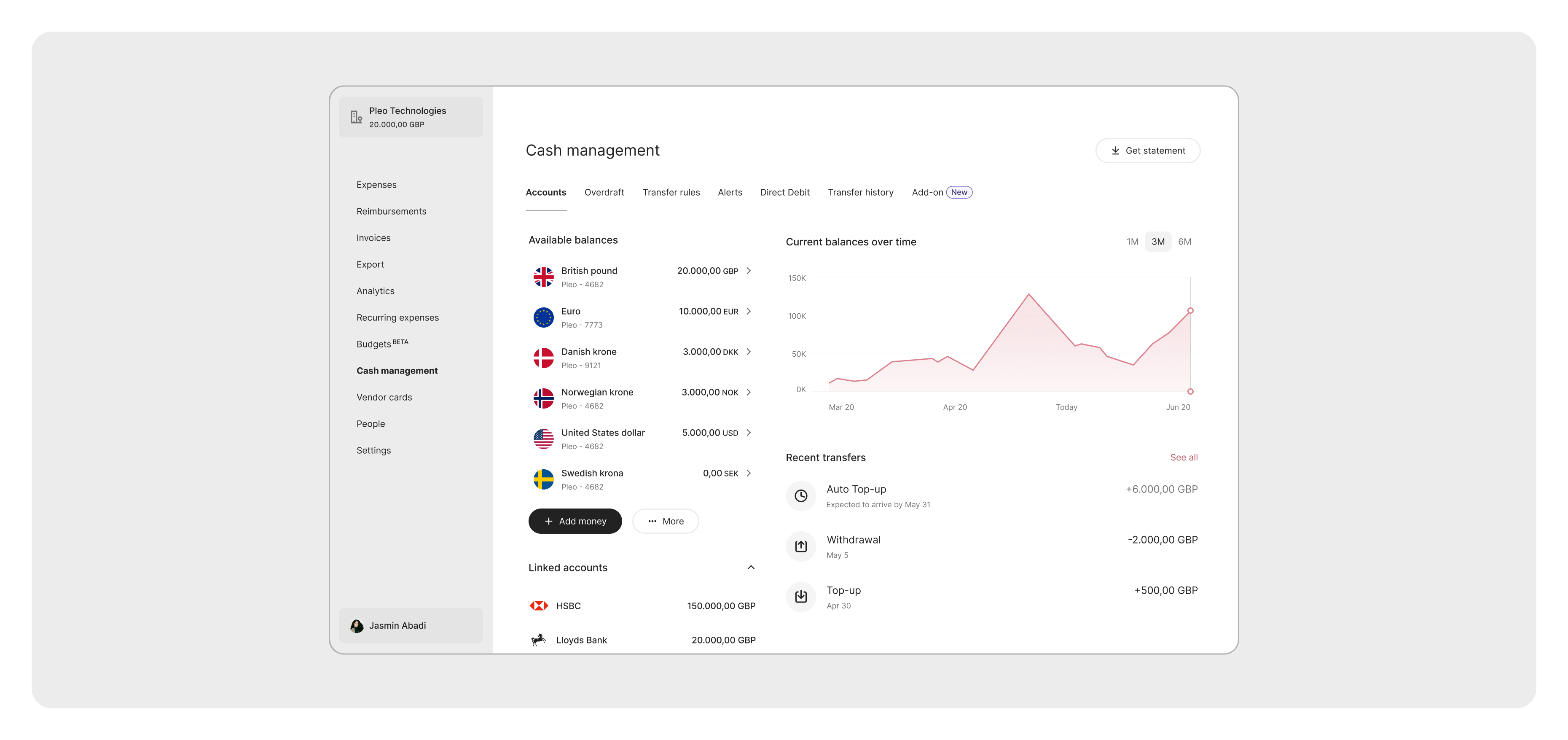
Cash management with Pleo is here.
Track, manage, and optimise your cash with full visibility, automation, and control. Allowing you to streamline cash operations and decision-making, and boost business profitability.
- Bank connections: Get real-time visibility over cash positions in and out of Pleo.
- Transfer rules: Set rules to automatically move funds between Pleo and your bank.
- Multi-currency management: Hold and trade EUR, GBP, USD, SEK, NOK, DKK. Spend globally with a single card that automatically charges the right account.
- Investment account (Germany only): Earn a monthly yield on idle cash with next-day access. For our UK and other EU markets, watch this space in 2026 👀.
Overdraft for Sub-accounts
You can now use your Overdraft to instantly fund your Sub-accounts to avoid declined payments and keep your business chugging along—fund specific projects, departments, or high-value purchases with the same flexibility of Overdraft.
Cut through expense overload with advanced filters
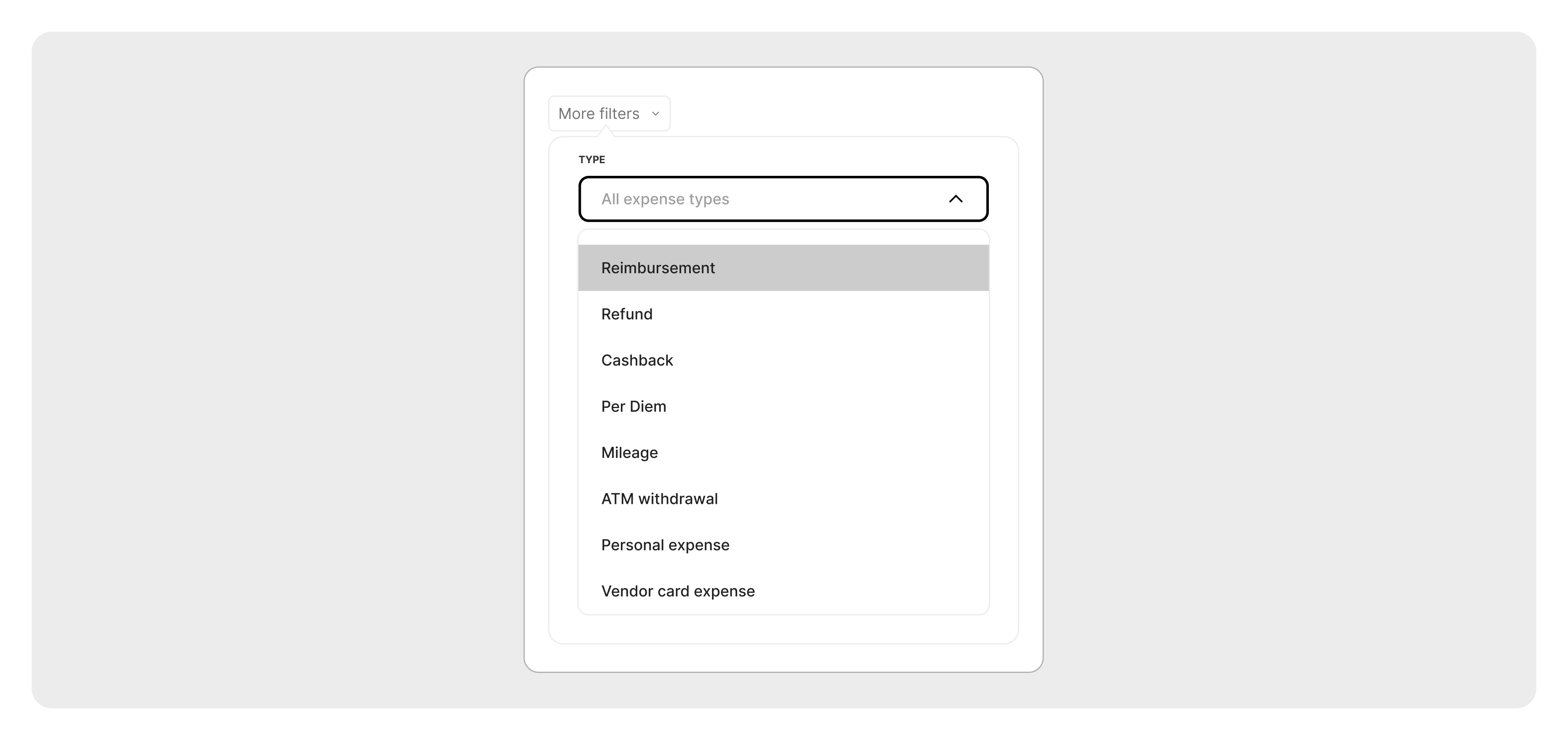
New advanced filters help you get straight to the transactions that need attention.
Filter by:
• ATM withdrawal
• Marked as personal
• Vendor card
Advanced functionality:
• Select multiple employees within one filter
• Select multiple teams at once
Complete high-volume expense reviews faster, with confidence that nothing has been missed.
Get accurate expense data every time with new submission requirements
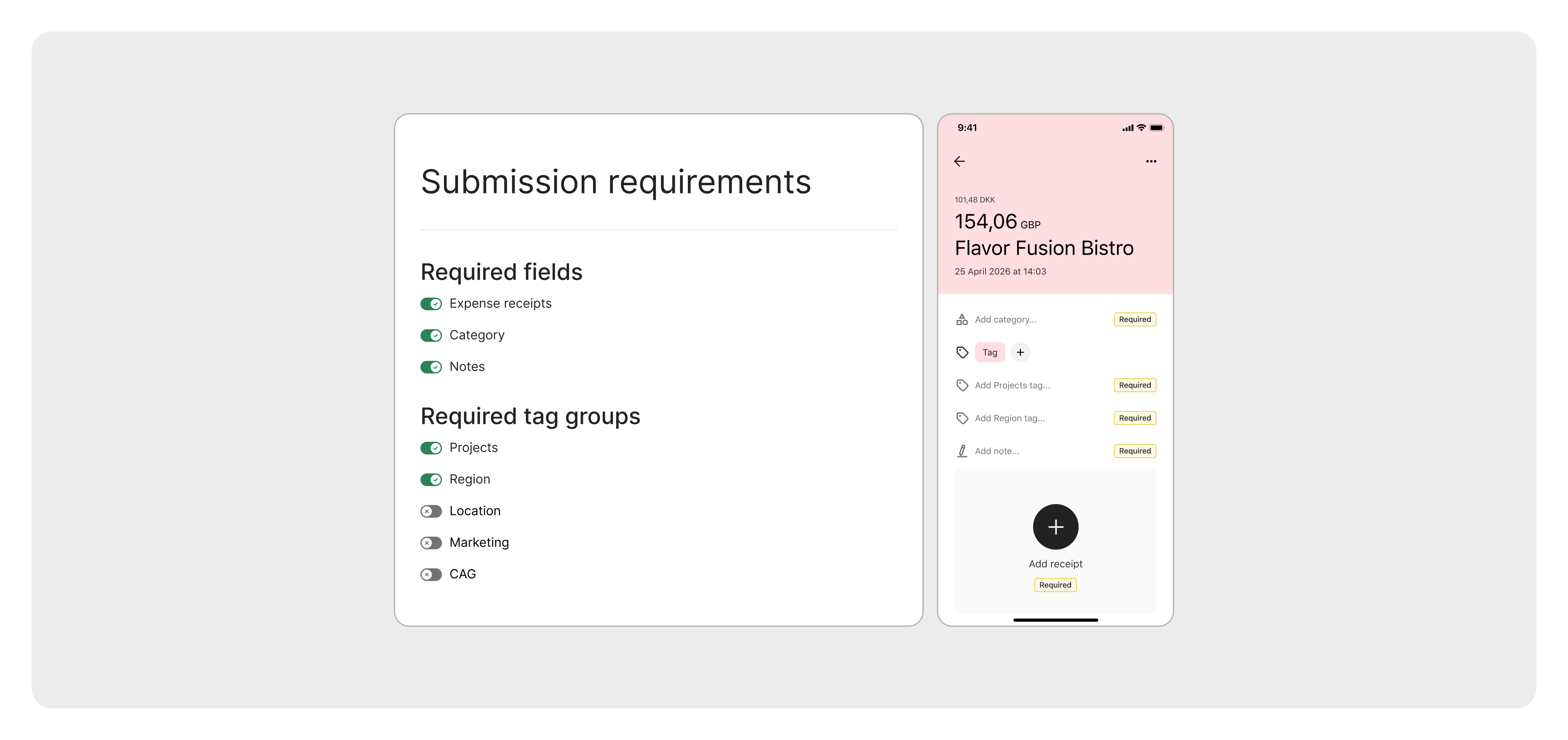
Missing receipts and half-finished submissions are guaranteed to slow down month-end. With Pleo’s new Submission Requirements, you can stop that friction before it reaches your desk. As the year wraps up and you start looking towards 2026, this is a simple switch to flip to boost the number of complete and accurate expenses.
What’s new:
You’ll find a dedicated Submission Requirements page in your Settings, giving you full control over what your team must include before submitting an expense. You can require set fields for both card and out-of-pocket spend, including:
- Receipts
- Category
- Notes
- Tag groups
And for out-of-pocket expenses, you can even block submission until everything is filled in – no exceptions, no loose ends.
And the rest of the Pleo magic stays the same:
- Push notifications remind spenders when a required field is missing
- Smart to-dos for spenders appear automatically, so employees fix issues before Finance has to ask
By enforcing quality at the source, Finance teams get richer data. No chasing. No nudging. Just clean expenses from the get-go.
Create custom export table views
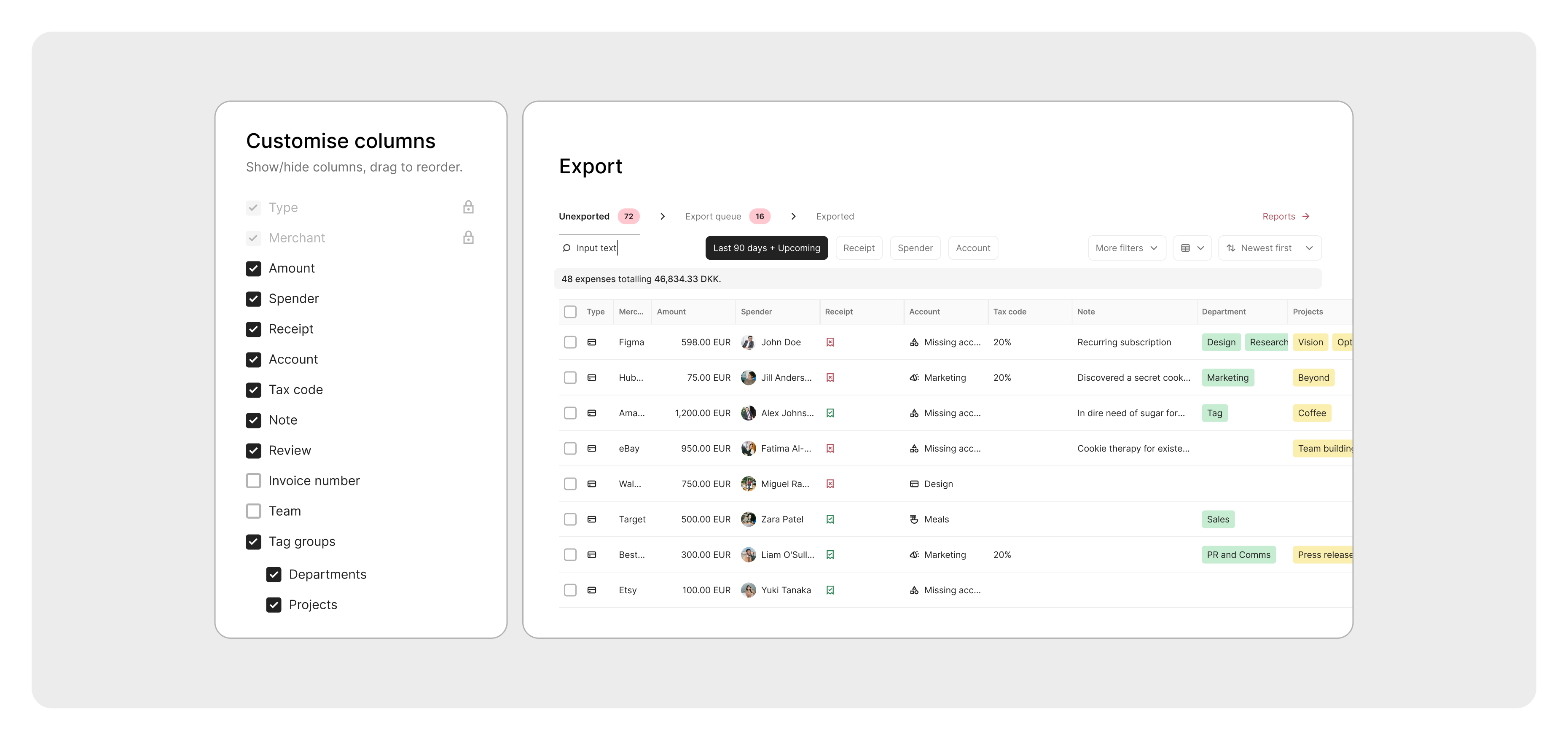
Create custom export table views to manage transactions in a way that works best for you.
Reorder columns, customise with preferred data points, and create a view that fits your needs.
Put your finance team in control with tax code automation
Tax automation just got more flexible.
Tax Auto-fill now lets finance teams apply tax codes their way, with new controls. Choose your tax source by deciding whether tax codes apply based on receipt type or category setup.
Integrations

We’ve rolled out several accounting integration updates to make your bookkeeping smoother, smarter, and more reliable than ever.
New: Business Central
- Supports both On-Premises and Partner-Hosted setups.
- Advanced expense bookkeeping capabilities.
- Improved synchronisation of Dimensions, Chart of Accounts, and VAT Posting Setups.
- Automatic vendor sync and full multi-currency support.
Learn more at the Business Central AppSource.
Update: Exact Online
- Automatic reconciliation to save time and reduce errors.
- Streamlined invoice management and vendor sync.
- Enhanced Tags sync to ensure accounting data is always accurate and up-to-date.
Upgrade your integration today.
In case you missed it: Visma.net
- Brand-new API integration seamlessly exports expenses and receipts from Pleo into Visma.net.
- Synchronises VAT codes, accounting dimensions, Chart of Accounts, and vendors.
- Available for free to all Pleo customers.
In case you missed it: Microsoft Dynamics 365 Finance and Operations
- A direct integration designed for enterprise-scale bookkeeping.
- Sync expenses and attachments directly to Dynamics 365.
- Maintain consistency with taxes and tags (financial dimensions) synced.
In case you missed it: Sage Intacct
- A direct integration tailored for mid-market and enterprise customers.
Sync expenses and attachments. - Keep Chart of Accounts, taxes, vendors, and tags (dimensions) always in sync.
- Choose how to bookkeep: Accounts Payables, Journal Entries, or Credit Card Transactions.